The
Java programming language compiler (
javac) provided by Oracle (and formerly by Sun) has several
non-standard options that are often useful. One of the most useful is the set of non-standard options that print out warnings encountered during compilation. That set of options is the subject of this post.
The
javac page section on non-standard options lists and provides brief details on each of these options. The following is the relevant snippet from that page.
A listing of these options is also available from the command line (assuming the Java SDK is installed) with the command:
javac -help -X. This is briefer than the man page/web page example shown above and is shown next.
As the previous snapshot from running
javac -help -X indicates, the ten specific conditions for which Xlint warnings exist are (in alphabetical order):
cast,
deprecation,
divzero,
empty,
fallthrough,
finally,
overrides,
path,
serial, and
unchecked. I briefly look at each of these and provide a code snippet that leads to these warning occurring when Xlint is turned on. Note that the
man page for javac and the
Java SE 6 javac page both only list half of these Xlint options (documentation is apparently not as up-to-date as the javac usage/help). There is a useful
NetBeans Wiki entry that summarizes all ten options.
The
javac compiler allows all or none of the Xlint warnings to be enabled. If Xlint is not specified at all of the option
-Xlint:none is explicitly specified, the behavior is to not show most of the warnings. Interestingly, the output does provide a warning about deprecation and unchecked warnings and recommends running
javac with
-Xlint enabled to see the details on these two types of warnings.
Before the end of this post, I'll demonstrate Java code that leads to 13 total reported Xlint warnings covering all ten of the options discussed above. However, without Xlint specified, the output is as shown in the next screen snapshot.
As the above image indicates, whether Xlint is not specified at all or is specified explicitly with "none", the result is the same: the majority of the warnings are not shown, but there are simple references to the deprecation and unchecked warnings with recommendations to run
javac with
-Xlint:deprecation and
-Xlint:unchecked respectively for additional details. Running
javac with
-Xlint:all or
-Xlint with no other options will show all warnings and would work to see the details regarding deprecated, unchecked, and all other applicable Xlint-enabled warnings. This will be shown after going through the source code and each Xlint warning individually.
-Xlint:castThis option can be used to have the compiler warn the developer that a redundant cast is being made. Here is a code snippet that would get flagged if
-Xlint,
-Xlint:all, or
-Xlint:cast was provided to
javac when compiling the source.
/**
    * Demonstrates -Xlint:cast warning of a redundant cast.
    */
   private static void demonstrateCastWarning()
   {
      final Set<Person> people = new HashSet<Person>();
      people.add(fred);
      people.add(wilma);
      people.add(barney);
      for (final Person person : people)
      {
         // Redundant cast because generic type explicitly is Person
         out.println("Person: " + ((Person) person).getFullName());
      }
   }
In the above code, there is no need to cast the person object inside the for loop to Person and
-Xlint:cast will warn of this unnecessary and redundant cast with a message stating something like:
src\dustin\examples\Main.java:37: warning: [cast] redundant cast to dustin.examples.Person
          out.println("Person: " + ((Person) person).getFullName());
                                    ^
-Xlint:deprecationAs discussed above, the Xlint deprecation warning was evidently deemed important enough to justify it being advertised even when Xlint is not explicitly run. This warning occurs when a deprecated method is invoked. The following code example demonstrates such a case.
/**
    * Cause -Xlint:deprecation to print warning about use of deprecated method.
    */
   private static void demonstrateDeprecationWarning()
   {
      out.println("Fred's full name is " + fred.getName());
   }
You cannot tell without the source code for the
Person class (of which "fred" is an instance), but that
getName() method is deprecated in
Person. The following output from running
javac with
-Xlint,
-Xlint:all, or -
Xlint:deprecation confirms that (or points it out if the developer missed it).
src\dustin\examples\Main.java:47: warning: [deprecation] getName() in dustin.examples.Person has been deprecated
          out.println("Fred's full name is " + fred.getName());
                                                   ^
-Xlint:divzeroThe
divzero Xlint option indicates when integral division divides by a literal zero. A code example that will demonstrate this is shown next:
/**
    * Demonstrate -Xlint:divzero in action by dividing an int by a literal zero.
    */
   private static void demonstrateDivideByZeroWarning()
   {
      out.println("Two divided by zero is " + divideIntegerByZeroForLongQuotient(2));
   }

   /**
    * Divide the provided divisor into the provided dividend and return the
    * resulting quotient. No checks are made to ensure that divisor is not zero.
    *
    * @param dividend Integer to be divided.
    * @return Quotient of division of dividend by literal zero.
    */
   private static long divideIntegerByZeroForLongQuotient(final int dividend)
   {
      // Hard-coded divisor of zero will lead to warning. Had the divisor been
      // passed in as a parameter with a zero value, this would not lead to
      // that warning.
      return dividend / 0;
   }
The output from
javac when the above is compiled is now shown.
src\dustin\examples\Main.java:231: warning: [divzero] division by zero
      return dividend / 0;
                        ^
When I intentionally tried to force this warning, it seemed to only work for a hard-coded (literal) zero divisor. Also, it does not flag double division because
Infinity can be returned as a valid answer in that case without throwing an exception.
-Xlint:emptyThe purpose of
-Xlint:empty is to notify the developer that an "empty"
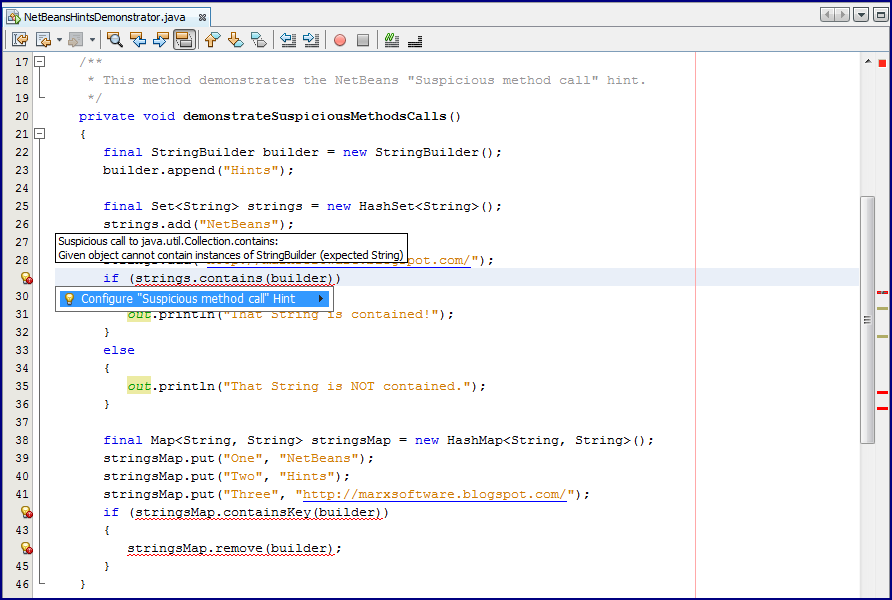
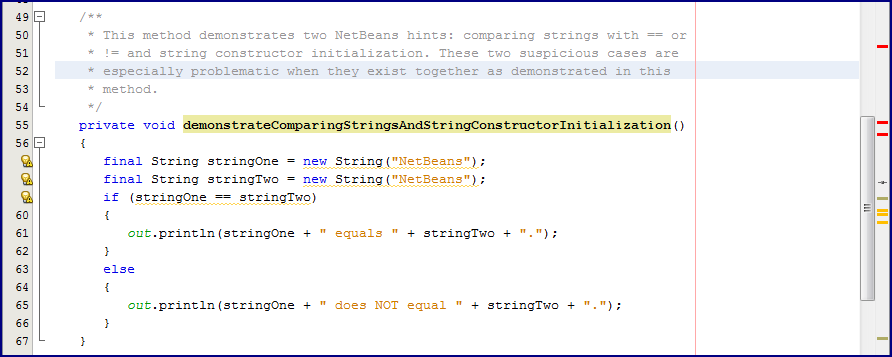
if conditional is in the code. From my tests, this seems to only apply for the case of the empty "if" block. NetBeans provides "hints" (those yellow underlined warnings that are also marked in the right margin of the source code editor) for several types of empty statements, but
-Xlint:empty seems to only flag the empty "if" statements. I included the others that NetBeans flags along with the one
-Xlint:empty flags in the next source code sample.
/**
    * This method demonstrates how javac's -Xlint:empty works. Note that javac's
    * -Xlint:empty will only flag the empty statement involved in the "if" block,
    * but does not flag the empty statements associated with the do-while loop,
    * the while loop, the for loop, or the if-else. NetBeans does flag these if
    * the appropriate "Hints" are turned on.
    */
   private static void demonstrateEmptyWarning()
   {
      int[] integers = {1, 2, 3, 4, 5};
      if (integers.length != 5);
         out.println("Not five?");

      if (integers.length == 5)
         out.println("Five!");
      else;
         out.println("Not Five!");

      do;
      while (integers.length > 0);

      for (int integer : integers);
         out.println("Another integer found!");

      int counter = 0;
      while (counter < 5);

      out.println("Extra semicolons.");;;;
   }
The code above is filled with problematic placement of semicolons that almost certainly are not what the developer wanted. This code will compile, but the developer is warned of these suspicious situations if
-Xlint,
-Xlint:all, or
-Xlint:empty is used with
javac. The warning messages that are printed in the otherwise successful compilation are shown next.
src\dustin\examples\Main.java:197: warning: [empty] empty statement after if
      if (integers.length != 5);
                               ^
Only the empty "if" statement clause is flagged; the others are not reported by
-Xlint:empty.
-Xlint:fallthroughA tempting but controversial convenience Java provides is the ability to "fallthrough" common expressions in a
switch statement to apply the same logic to multiple integral values with one piece of code. If all of the integral values with the shared functionality are empty except the final one that actually performs the functionality and provides a
break, the
-Xlint:fallthrough won't be activated. However, if some of the
case expressions do perform their own logic in addition to the common fallthrough logic, this warning is produced. An examples that demonstrates this is shown next.
/**
    * Cause -Xlint:fallthrough to print warning about use of switch/case
    * fallthrough.
    */
   private static void demonstrateFallthroughWarning()
   {
      out.print("Wilma's favorite color is ");
      out.print(wilma.getFavoriteColor() + ", which is ");

      // check to see if 'artistic' primary color
      // NOTE: This one will not lead to -Xlint:fallthrough flagging a warning
      //       because no functionality is included in any of the case statements
      //       that don't have their own break.
      switch (wilma.getFavoriteColor())
      {
         case BLUE:
         case YELLOW:
         case RED:
            out.print("a primary color for artistic endeavors");
            break;
         case BLACK:
         case BROWN:
         case CORAL:
         case EGGSHELL:
         case GREEN:
         case MAUVE:
         case ORANGE:
         case PINK:
         case PURPLE:
         case TAN:
         case WHITE:
         default:
            out.print("NOT a primary artistic color");
      }
      out.print(" and is ");
      // check to see if 'additive' primary color
      // NOTE: This switch WILL lead to -Xlint:fallthrough emitting a warning
      //       because there is some functionality being performed in a case
      //       expression that does not have its own break statement.
      switch (wilma.getFavoriteColor())
      {
         case BLUE:
         case GREEN:
            out.println("(it's not easy being green!) ");
         case RED:
            out.println("a primary color for additive endeavors.");
            break;
         case BLACK:
         case BROWN:
         case CORAL:
         case EGGSHELL:
         case MAUVE:
         case ORANGE:
         case PINK:
         case PURPLE:
         case TAN:
         case YELLOW:
         case WHITE:
         default:
            out.println("NOT a primary additive color.");
      }
   }
The above code example intentionally shows both cases (pun intended) of the switch/case that will and will not lead to a warning message thanks to
-Xlint:fallthrough. The output, with only one warning, is shown next.
src\dustin\examples\Main.java:95: warning: [fallthrough] possible fall-through into case
         case RED:
         ^
The
case that got flagged was the RED
case following the GREEN
case that did some logic of its own before falling through to the RED logic.
-Xlint:finallyMore than one person has warned, "
Don't return in a finally clause." In fact, "Java's return doesn't always" is in
The Java Hall of Shame. A Java developer can be warned about this nefarious situation by using
-Xlint,
-Xlint:all, or
-Xlint:finally. A piece of source code demonstrating how this warning could be generated is shown next.
/**
    * Demonstrate -Xlint:finally generating warning message when a {@code finally}
    * block cannot end normally.
    */
   private static void demonstrateFinallyWarning()
   {
      try
      {
         final double quotient = divideIntegersForDoubleQuotient(10, 0);
         out.println("The quotient is " + quotient);
      }
      catch (RuntimeException uncheckedException)
      {
         out.println("Caught the exception: " + uncheckedException.toString());
      }
   }


   /**
    * Divide the provided divisor into the provided dividend and return the
    * resulting quotient. No checks are made to ensure that divisor is not zero.
    *
    * @param dividend Integer to be divided.
    * @param divisor Integer by which dividend will be divided.
    * @return Quotient of division of dividend by divisor.
    */
   private static double divideIntegersForDoubleQuotient(final int dividend, final int divisor)
   {
      double quotient = 0.0;
      try
      {
         if (divisor == 0)
         {
            throw new ArithmeticException(
               "Division by zero not allowed: cannot perform " + dividend + "/" + divisor);
         }
         // This would not have led to Xlint:divzero warning if we got here
         // with a literal zero divisor because Infinity would have simply been
         // returned rather than implicit throwing of ArithmeticException.
         quotient = (double) dividend / divisor;
      }
      finally
      {
         return quotient;
      }
   }
The above is flawed and likely isn't what the developer intended. The relevant warning javac provides when Xlint is enabled is shown next.
src\dustin\examples\Main.java:159: warning: [finally] finally clause cannot complete normally
      }
      ^
-Xlint:overridesThe
-Xlint:overrides option does not replace the
@Overrides annotation. The latter is an error rather than a warning anyway. Instead,
-Xlint:overrides indicates when a much
less obvious situation has occurred. Two Java classes are shown here to illustrate how this warning might occur. The first class is the base class and the second class extends that base class, tries to override one of the base class's methods with inclusion of an
@Overrides annotation. Like all code in my examples in this post, this code does compile.
BaseClass.java
package dustin.examples;

import java.util.ArrayList;
import java.util.List;

/**
 * Simple class intended to help demonstrate -Xlint:overrides by providing a
 * method that won't be overridden quite the same by its child.
 */
public class BaseClass
{
   protected List<String> names = new ArrayList<String>();

   public BaseClass() {}

   public void addNames(final String[] newNames)
   {
      for (final String name : newNames)
      {
         names.add(name);
      }
   }
}
ChildClass.java
package dustin.examples;

/**
 * Simple class intended to help demonstrate -Xlint:overrides by "sort of"
 * overriding a method defined in its parent.
 */
public class ChildClass extends BaseClass
{
   @Override
   public void addNames(final String... newNames)
   {
      for (final String name : newNames)
      {
         this.names.add(name);
      }
   }
}
Here is the warning
javac provides when the appropriate
-Xlint flag is used.
src\dustin\examples\ChildClass.java:10: warning: addNames(java.lang.String...) in dustin.examples.ChildClass overrides addNames(java.lang.String[]) in dustin.examples.BaseClass; overridden method has no '...'
   public void addNames(final String... newNames)
               ^
-Xlint:pathThe -Xlint:path is one of my favorites. I like it so much, in fact, that I have
blogged on it specifically. As I stated in that post, this is particularly handy in identifying assumed classpath locations that don't really exist. This knowledge can help in all kinds of class loader issues. The option is not limited to classpaths, but that is where I use it most.
There are a couple interesting notes about this particular option. First, this was one I was unable to generate when building with
Ant because Ant automatically detects non-existent paths as well and doesn't apply them (therefore not giving
-Xlint:path a chance to be the hero).
The type of Ant declaration I often use when compiling my Java code is shown next. It specifies
-Xlint for all
javac warnings in the
compilerarg element nested with the
javac element.
<target name="compile"
           description="Compile the Java code."
           depends="-init">
      <javac srcdir="${src.dir}"
             destdir="${classes.dir}"
             classpathref="classpath"
             debug="${javac.debug}"
             includeantruntime="false">
         <compilerarg value="-Xlint"/>
      </javac>
   </target>
When I build my sample application using Ant and the target shown above, I do not see the path-oriented warning. If I turn up the verbosity during the Ant build, I can detect why when it reports this message: "dropping C:\noSuchDirectory from path as it doesn't exist"
When I build my final example with
javac on the command line, there are 13 warnings covering the ten Xlint categories displayed. When I build it using Ant and the target above, there are only 12 warnings displayed and all but the
-Xlint:path warning are listed. Here is what the output from
-Xlint:path does look like when
javac is run from the command line:
warning: [path] bad path element "C:\noSuchDirectory": no such file or directory
The second interesting observation about
-Xlint:path is that it's not a source code warning like the others covered here, but is instead more a warning about how
javac itself is being applied to the source code. Given that, there's no source code to see here. Let's move on.
-Xlint:serialJosh Bloch, in
Effective Java, discusses the importance of generating a
serialVersionUID for classes that are marked as
Serializable. Indeed, the
Javadoc for Serializable also cover the importance of this. The
-Xlint:serial flag will warn a developer when a
Serializable class does not have an explicit
serialVersionUID. It's time to look at the previously mentioned
Person class (discussed in conjunction with
-Xlint:deprecation), which is
Serializable, but does not have an explicit
serialVersionUID declared.
package dustin.examples;

import java.io.Serializable;

/**
 * Person class that intentionally has problems that will be flagged as warnings
 * by javac with -X non-standard options.
 */
public final class Person implements Serializable
{
   // no serialVersionUID should demonstrate -Xlint:serial

   private final String lastName;

   private final String firstName;

   private final Gender gender;

   private final Color favoriteColor;

   public Person(
      final String newLastName,
      final String newFirstName,
      final Gender newGender,
      final Color newFavoriteColor)
   {
      this.lastName = newLastName;
      this.firstName = newFirstName;
      this.gender = newGender;
      this.favoriteColor = newFavoriteColor;
   }

   public String getLastName()
   {
      return this.lastName;
   }

   public String getFirstName()
   {
      return this.firstName;
   }

   public String getFullName()
   {
      return this.firstName + " " + this.lastName;
   }

   /**
    * Provide the person's full name.
    *
    * @return Full name of this person.
    * @deprecated Use getFullName() instead.
    */
   @Deprecated
   public String getName()
   {
      return this.firstName + " " + this.lastName;
   }

   public Gender getGender()
   {
      return this.gender;
   }

   public Color getFavoriteColor()
   {
      return this.favoriteColor;
   }


   /**
    * NetBeans-generated equals(Object) method checks for equality of provided
    * object to me.
    *
    * @param obj Object to be compared to me for equality.
    * @return {@code true} if the provided object and I are considered equal.
    */
   @Override
   public boolean equals(Object obj)
   {
      if (obj == null)
      {
         return false;
      }
      if (getClass() != obj.getClass())
      {
         return false;
      }
      final Person other = (Person) obj;
      if ((this.lastName == null) ? (other.lastName != null) : !this.lastName.equals(other.lastName))
      {
         return false;
      }
      if ((this.firstName == null) ? (other.firstName != null) : !this.firstName.equals(other.firstName))
      {
         return false;
      }
      if (this.gender != other.gender)
      {
         return false;
      }
      if (this.favoriteColor != other.favoriteColor)
      {
         return false;
      }
      return true;
   }


   /**
    * NetBeans-generated hashCode() method.
    *
    * @return Hash code for this instance.
    */
   @Override
   public int hashCode()
   {
      int hash = 7;
      hash = 59 * hash + (this.lastName != null ? this.lastName.hashCode() : 0);
      hash = 59 * hash + (this.firstName != null ? this.firstName.hashCode() : 0);
      hash = 59 * hash + (this.gender != null ? this.gender.hashCode() : 0);
      hash = 59 * hash + (this.favoriteColor != null ? this.favoriteColor.hashCode() : 0);
      return hash;
   }


   @Override
   public String toString()
   {
      return getFullName();
   }
}
Here is what
javac tells me about this when I have
-Xlint,
-Xlint:all, or
-Xlint:serial specified.
src\dustin\examples\Person.java:9: warning: [serial] serializable class dustin.examples.Person has no definition of serialVersionUID
public final class Person implements Serializable
             ^
-Xlint:uncheckedWe've finally arrived at the tenth -Xlint option. This one is covered last because "U" falls so late in the English alphabet, but it's arguably appropriate to cover it last anyway because it's one of the ones most Java developers probably see most often. This
-Xlint:unchecked and the previously covered
-Xlint:deprecation are the only two of the ten covered here that are warned about even when -Xlint is explicitly stated to warn about "none." Because it's so common, there are numerous code samples that demonstrate it. One simple one is shown here.
/**
    * Demonstrate the commonly seen -Xlint:unchecked in action.
    *
    * @return Set of Person objects.
    */
   private static Set demonstrateUncheckedWarning()
   {
      final Set people = new HashSet();
      people.add(fred);
      people.add(wilma);
      people.add(barney);
      return people;
   }
I could have declared the
Set interface and its
HashSet implementation above to be specifically of type Person, but I failed to do so. This leads to four warnings as shown next.
src\dustin\examples\Main.java:243: warning: [unchecked] unchecked call to add(E) as a member of the raw type java.util.Set
      people.add(fred);
                ^
src\dustin\examples\Main.java:244: warning: [unchecked] unchecked call to add(E) as a member of the raw type java.util.Set
      people.add(wilma);
                ^
src\dustin\examples\Main.java:245: warning: [unchecked] unchecked call to add(E) as a member of the raw type java.util.Set
      people.add(barney);
                ^
src\dustin\examples\Main.java:246: warning: [unchecked] unchecked conversion
found   : java.util.Set
required: java.util.Set
      return people;
             ^
The numerous warnings here are how my example got 13 total warnings for ten Xlint categories.
Other Noteworthy ItemsThis post is already pretty long, so I'm only going to briefly mention a last few items of interest. First, not only can one go without using -Xlint at all when using
javac or use
-Xlint:none to explicitly not use -Xlint, but one has even more granular control on what is not printed. This is available by using a minus sign (
-) in front of a particular Xlint option to specify not to warn about it. For example, a developer who doesn't care about not having a
serialVersionUID could specify
-Xlint:-serial to explicitly tell the
javac compiler to not warn about absence of a
serialVersionUID in a
Serializable class.
Another way to limit the printing of these Xlint-based warnings is (at least in some cases) the availability of the
@SuppressWarnings annotation to state which warnings should be ignored. These annotations are placed directly in the source code, but will keep Xlint from reporting the warning.
Casper Bang provides nice coverage of the use of this annotation in his post
@SuppressWarnings values.
Alex Miller has provided a nice summary of
@SuppressWarnings options as well.
I mentioned briefly that NetBeans covers several more "empty" conditions than does -Xlint. This tends to be true of many other warnings as well. NetBeans and the other major Java IDEs tend to warn about more types of suspicious behavior than does -Xlint.
The Rest of the CodeI already included the complete source code for three classes above (
Person.java,
BaseClass.java, and
ChildClass.java). Here I include source code for the
Main.java that had many of the examples that led to Xlint complaining along with the source code for the two simple enums
Gender and
Color.
Gender.java
package dustin.examples;

/**
 * Gender.
 */
public enum Gender
{
   FEMALE,
   MALE
}
Color.java
package dustin.examples;

/**
 * Simple Color representation.
 */
public enum Color
{
   BLACK,
   BLUE,
   BROWN,
   CORAL,
   EGGSHELL,
   GREEN,
   MAUVE,
   ORANGE,
   PINK,
   PURPLE,
   RED,
   TAN,
   WHITE,
   YELLOW
}
Main.java
package dustin.examples;

import java.util.Set;
import java.util.HashSet;
import static java.lang.System.out;

/**
 * Main executable demonstrating HotSpot's non-standard Xlint warning flags.
 */
public class Main
{
   /** Fred. */
   private final static Person fred =
      new Person("Flintstone", "Fred", Gender.MALE, Color.ORANGE);

   /** Wilma. */
   private final static Person wilma =
      new Person("Flintstone", "Wilma", Gender.FEMALE, Color.PURPLE);

   /** Barney. */
   private final static Person barney =
      new Person("Rubble", "Barney", Gender.MALE, Color.BROWN);


   /**
    * Demonstrates -Xlint:cast warning of a redundant cast.
    */
   private static void demonstrateCastWarning()
   {
      final Set<Person> people = new HashSet<Person>();
      people.add(fred);
      people.add(wilma);
      people.add(barney);
      for (final Person person : people)
      {
         // Redundant cast because generic type explicitly is Person
         out.println("Person: " + ((Person) person).getFullName());
      }
   }


   /**
    * Cause -Xlint:deprecation to print warning about use of deprecated method.
    */
   private static void demonstrateDeprecationWarning()
   {
      out.println("Fred's full name is " + fred.getName());
   }


   /**
    * Cause -Xlint:fallthrough to print warning about use of switch/case
    * fallthrough.
    */
   private static void demonstrateFallthroughWarning()
   {
      out.print("Wilma's favorite color is ");
      out.print(wilma.getFavoriteColor() + ", which is ");

      // check to see if 'artistic' primary color
      // NOTE: This one will not lead to -Xlint:fallthrough flagging a warning
      //       because no functionality is included in any of the case statements
      //       that don't have their own break.
      switch (wilma.getFavoriteColor())
      {
         case BLUE:
         case YELLOW:
         case RED:
            out.print("a primary color for artistic endeavors");
            break;
         case BLACK:
         case BROWN:
         case CORAL:
         case EGGSHELL:
         case GREEN:
         case MAUVE:
         case ORANGE:
         case PINK:
         case PURPLE:
         case TAN:
         case WHITE:
         default:
            out.print("NOT a primary artistic color");
      }
      out.print(" and is ");
      // check to see if 'additive' primary color
      // NOTE: This switch WILL lead to -Xlint:fallthrough emitting a warning
      //       because there is some functionality being performed in a case
      //       expression that does not have its own break statement.
      switch (wilma.getFavoriteColor())
      {
         case BLUE:
         case GREEN:
            out.println("(it's not easy being green!) ");
         case RED:
            out.println("a primary color for additive endeavors.");
            break;
         case BLACK:
         case BROWN:
         case CORAL:
         case EGGSHELL:
         case MAUVE:
         case ORANGE:
         case PINK:
         case PURPLE:
         case TAN:
         case YELLOW:
         case WHITE:
         default:
            out.println("NOT a primary additive color.");
      }
   }


   /**
    * Demonstrate -Xlint:finally generating warning message when a {@code finally}
    * block cannot end normally.
    */
   private static void demonstrateFinallyWarning()
   {
      try
      {
         final double quotient = divideIntegersForDoubleQuotient(10, 0);
         out.println("The quotient is " + quotient);
      }
      catch (RuntimeException uncheckedException)
      {
         out.println("Caught the exception: " + uncheckedException.toString());
      }
   }


   /**
    * Divide the provided divisor into the provided dividend and return the
    * resulting quotient. No checks are made to ensure that divisor is not zero.
    *
    * @param dividend Integer to be divided.
    * @param divisor Integer by which dividend will be divided.
    * @return Quotient of division of dividend by divisor.
    */
   private static double divideIntegersForDoubleQuotient(final int dividend, final int divisor)
   {
      double quotient = 0.0;
      try
      {
         if (divisor == 0)
         {
            throw new ArithmeticException(
               "Division by zero not allowed: cannot perform " + dividend + "/" + divisor);
         }
         // This would not have led to Xlint:divzero warning if we got here
         // with a literal zero divisor because Infinity would have simply been
         // returned rather than implicit throwing of ArithmeticException.
         quotient = (double) dividend / divisor;
      }
      finally
      {
         return quotient;
      }
   }


   /**
    * Demonstrate -Xlint:divzero in action by dividing an int by a literal zero.
    */
   private static void demonstrateDivideByZeroWarning()
   {
      out.println("Two divided by zero is " + divideIntegerByZeroForLongQuotient(2));
   }


   /**
    * Surprisingly, there is no -Xlint warning option for this highly
    * suspicious situation of passing an object to a Set.contains call that
    * could not possibly hold that type of object (could never result to true).
    */
   private static void demonstrateNoContainsWarning()
   {
      final Set<Person> people = new HashSet<Person>();
      if (people.contains("Dustin"))
      {
         out.println("Here's there!");
      }
   }


   /**
    * This method demonstrates how javac's -Xlint:empty works. Note that javac's
    * -Xlint:empty will only flag the empty statement involved in the "if" block,
    * but does not flag the empty statements associated with the do-while loop,
    * the while loop, the for loop, or the if-else. NetBeans does flag these if
    * the appropriate "Hints" are turned on.
    */
   private static void demonstrateEmptyWarning()
   {
      int[] integers = {1, 2, 3, 4, 5};
      if (integers.length != 5);
         out.println("Not five?");

      if (integers.length == 5)
         out.println("Five!");
      else;
         out.println("Not Five!");

      do;
      while (integers.length > 0);

      for (int integer : integers);
         out.println("Another integer found!");

      int counter = 0;
      while (counter < 5);

      out.println("Extra semicolons.");;;;
   }


   /**
    * Divide the provided divisor into the provided dividend and return the
    * resulting quotient. No checks are made to ensure that divisor is not zero.
    *
    * @param dividend Integer to be divided.
    * @return Quotient of division of dividend by literal zero.
    */
   private static long divideIntegerByZeroForLongQuotient(final int dividend)
   {
      // Hard-coded divisor of zero will lead to warning. Had the divisor been
      // passed in as a parameter with a zero value, this would not lead to
      // that warning.
      return dividend / 0;
   }


   /**
    * Demonstrate the commonly seen -Xlint:unchecked in action.
    *
    * @return Set of Person objects.
    */
   private static Set<Person> demonstrateUncheckedWarning()
   {
      final Set people = new HashSet();
      people.add(fred);
      people.add(wilma);
      people.add(barney);
      return people;
   }


   /**
    * Main executable function to demonstrate -Xlint.  Various -Xlint options
    * are demonstrated as follows:
    * <ul>
    * <li>{@code -Xlint:cast}</li>: This class's method demonstrateCastWarning()
    *     demonstrates how a redundant cast can lead to this warning.</li>
    * <li>{@code -Xlint:deprecation}: This class's method demonstrateDeprecationWarning()
    *     intentionally invokes a deprecated method in the Person class.</li>
    * <li>{@code -Xlint:divzero}: This class's demonstrateDivideByZeroWarning()
    *     method demonstrates this warning generated when a literal zero is
    *     used as a divisor in integer division.</li>
    * <li>{@code -Xlint:empty}: This class's demonstateEmptyWarning() method
    *     demonstrates that (likely accidental) "if" expression without any
    *     result of the condition being {@code true} being performed results in
    *     a warning this option's set.
    * <li>{@code -Xlint:fallthrough}: This class's method demonstrateFallthroughWarning()
    *     demonstrates how {@code switch} statements with {@code case} expressions
    *     without their own {@code break} statements may or may not lead to
    *     this producing a warning message.</li>
    * <li>{@code -Xlint:finally}: This class's method demonstrateFinallyWarning()
    *     demonstrates the warning related to a return from a {@code finally}
    *     clause.</li>
    * <li>{@code -Xlint:overrides}: This is demonstrated in classes external to
    *     this one: {@code BaseClass} and its child class @{code ChildClass}.</li>
    * <li>{@code -Xlint:path}: This is shown by providing a path to the javac
    *     compiler's classpath option for a location that does not exist.</li>
    * <li>{@code -Xlint:serial}: The Person class implements the Serializable
    *     interface, but does not declare an explicit serialVersionUID.</li>
    * <li>{@code -Xlint:unchecked}: This class's demonstrateUncheckedWarning()
    *     demonstrates this warning message.</li>
    * </ul>
    *
    * @param arguments Command-line arguments: none expected.
    */
   public static void main(final String[] arguments)
   {
      demonstrateCastWarning();
      demonstrateDeprecationWarning();
      demonstrateDivideByZeroWarning();
      demonstrateEmptyWarning();
      demonstrateFallthroughWarning();
      demonstrateFinallyWarning();
      demonstrateUncheckedWarning();
   }
}
ConclusionDavid Walend's post
Amazing -Xlint points out that Xlint "made short work of the clean-up pass" and "pointed out places that needed some more thought, and helped keep me honest." I have found Xlint to be useful at time for similar reasons. The IDEs often provide me with warnings that cover the same ones as Xlint (and often many more), but there are times when things slip through and Xlint is there to capture them. These are not always deal-breaker issues, but sometimes they are and sometimes they have the potential to be.