Hiển thị các bài đăng có nhãn Web Development. Hiển thị tất cả bài đăng

Thứ Năm, 8 tháng 5, 2014

Video Review: Building an Application with CoffeeScript

Darko Bozhinovski's video course Building an Application with CoffeeScript was published last month by Packt Publishing. In this post, I review this video course on CoffeeScript (described on its main web page as "a little language that compiles into JavaScript" that is "an attempt to expose the good parts of JavaScript in a simple way").
Building an Application with CoffeeScript runs in the same web browser-based Packt Video Player used by other video courses from Packt Publishing that I've previously reviewed: HTML5 Game Development, jQuery UI Development, and JBoss EAP Configuration, Deployment, and Administration. The player runs completely in a web browser and features short video segments (ranging from 1 minute to 9 minutes each) divided into eight sections (chapters) with between 2 and 3 videos per section.
Section 1: CoffeeScript 101
The first section of Building an Application with CoffeeScript includes three videos and the initial video is the longest of the entire video course with a duration of almost 9 minutes. This initial video's summary includes three bullets and provides a link to additional references for more details. The video introduces CoffeeScript via the CoffeeScript site. In describing how CoffeeScript allows the best parts of JavaScript to be used, the video author also references Douglas Crockford's JavaScript site. Much of this first video uses examples on the CoffeeScript site to compare and contrast CoffeeScript with JavaScript. The site shows CoffeeScript and equivalent JavaScript code side-by-side and the video author shows these same CoffeeScript-to-JavaScript comparisons in the web-based JavaScript-to-CoffeeScript compiler js2coffee. As he narrates, he shows how subtle changes to the CoffeeScript or the JavaScript impact the other language in the js2coffee tool. One slightly distracting issue with the first video is the presence of "Topic 3" text at the end of a bullet on the first slide; I suspect this was template text that should have been removed when the bullet was added.
The second video demonstrates how to download and install the CoffeeScript compiler via download of Node.js. The video demonstrates using the command-line compiler to compile a "Hello, World" example written in CoffeeScript to JavaScript and then shows that JavaScript rendered in a web browser.
Section 1's third video introduces cake, described in the CoffeeScript site as, "a (very) simple build system similar to Make and Rake." Bozhinovski demonstrates writing a Cake task that compiles all CoffeeScript files in a given directory to their CoffeeScript equivalents and then demonstrates running that Cake task.
Section 2: Head-first Application Development
Section 2 features three video snippets that cover concepts such as object-oriented programming, inheritance, classes, and MVC. The first video of Section 2 is the one that really started to pique my interest in CoffeeScript. Although I liked some of the conciseness that CoffeeScript offers over JavaScript as shown in earlier video snippets, it was the support for class-based object-oriented programming in CoffeeScript that really caught my attention. The narrator demonstrates using js2coffee that classes in CoffeeScript are functions in JavaScript and one cannot help but notice how much more readable the CoffeeScript classes are than the JavaScript functions. The author also uses this first video of Section 2 to introduce his project with code examples that are used in the course.
The second video snippet of Section 2 focuses on Model-View-Controller and begins this focus with a reference to the Wikipedia page on MVC. Bozhinovski returns to his Github project coffeescript-course again and makes a short detour to advertise benefits of Github and how to start with Github. He then shows that the files in his project are empty and explains that he will populate them as part of the video course. At that point, he creates base model, controller, and view classes.
The third video of Section 2 begins with a focus on class-based inheritance in CoffeeScript. This coverage includes referencing the CoffeeScript site and demonstrating extending the base classes written in the previous video. A significant portion of this video highlights more resources available to viewers interested in CoffeeScript at the CoffeeScript site, via JavaScript frameworks, and at the http://todomvc.com/ site.
Section 3: The Storage Layer – Models and Data Persistence
There are only two video snippets in Section 3, but the section's overall duration is among the highest of the video course. The first video in this section discusses Web/DOM storage and which browser versions support this feature. The author points out advantage of local (web) storage such as its better support among common web browsers as compared to alternatives such as IndexDB and Web SQL Database.
Section 3's first video demonstrates use of localStorage by opening a web brower's console and running JavaScript-based examples using localStorage in that console (brief discussion on how to open this console in different browsers is included). The examples are then shown in js2coffee so that use of localStorage can be seen both directly in JavaScript and in CoffeeScript.
The second video in Section 3 is "the fun part" and begins with a demonstration of writing a class in CoffeeScript that encapsulates persisting and retrieving data values to localStorage. The example highlights the ability to specify static methods on a CoffeeScript class with the @ symbol and demonstrates how these static methods would be called by clients. Section 3's second video also demonstrates completing and persisting the model classes. JSON.parse and JSON.stringify are demonstrated within CoffeeScript as well.
Section 4: Routing and Views
Section 4 is composed of three video snippets. The first video in this section reviews the roles of controller, view, and model and then introduces the concept of routing. The video demonstrates building a routing class for the example application, but the narrator explains the basic theory behind routers and points out third-party routing micro frameworks that are already available for use. The author's examples are relatively simple, associating routes with controllers' methods, but the author points out that more elaborate routing is possible.
The second video of Section 4 builds on the section's first video to cover routers and controllers in more detail. The author demonstrates writing new controller methods and demonstrates more concretely the association between controllers and routers.
Section 4's final video is the longest of the section and introduces views. Along the way, this video demonstrates some more CoffeeScript features such as its constructor method, its multi-line string support, and its for-of loop. The example application at this point has HTML tags added to its rendering portion of its view classes and jQuery is used here as well.
Section 5: Interactions and Event Handling – Using JQuery with CoffeeScript
Using jQuery was mentioned very briefly a couple times in earlier sections, but the two-video Section 5 makes the use of jQuery with CoffeeScript a central theme. The first of the section's two videos demonstrates how to prevent a hypertext action in the example application from going to a newly served page and instead be routed via the router built in Section 4. This is key to implementing a single-page application. This video also demonstrates additional CoffeeScript/jQuery binding concepts and demonstrates CoffeeScript's switch/when statement.
Section's final second and final video starts by revisiting the hash change support in modern browsers. The author also mentions the pushState API. Demonstration of writing a global Event Emitter based on Backbone.js's Backbone.Events class is also demonstrated and it is explained that this approach allows for less tight coupling than using direct calls between views and controllers.
Section 6: Extending Our Application – Manipulating Stored Data
There are three video snippets in Section 6 and all three use creation and enhancement of the example applications category and document concepts to illustrate organization of data and of additional CoffeeScript code in practice. These are code-heavy videos that illustrate practical implementation of new features for the example application.
Section 7: Extending Our Application – Add an External Library
The first video of Section 7 introduces the idea of using Summernote in the example application to support rich text editing. The second video demonstrates integrating Summernote with the example application, including saving the rich text.
The second video also introduces jsPDF and the third video of Section 7 demonstrates integrating jsPDF with the example application so that the example application can export PDF from HTML.
Section 8: Publishing and Real-world Usage for Our Documents
The final section has three videos. The first of these three demonstrates using the Blob API to allow the example application to export documents in text and HTML formats. The second video demonstrates how to allow a user of the example application to publish the document to a WordPress blog. The third and final video of this section (and final video of the course) talks about ways that viewers could customize and enhance the example application built during the course. The author outlines other possible applications that could be built from it and talks about other ways to change it.
General Observations
  • The title "Building an Application with CoffeeScript" articulates well what this video course is. Although the video course is often introductory in nature, it is organized around demonstration of building an application using CoffeeScript and incidentally providing introductory information along the way. This is different than being organized as an introduction to CoffeeScript that happens to build an example application along the way. Instead of providing lengthy lists of features and syntax examples (which is what a course focused on introduction over application building might do), this video course provides just enough introductory coverage of required features and syntax to allow the work of building an example application to take place.
  • Numerous online references are shown and discussed in this video course, making it easier for the viewer to identify sources of additional details and background information. These online resources help the narrator to explain the topic and showing them to the viewer allows the viewer to directly access them after being introduced to them. The video course makes it even easier to find these resources by listing the URLs for most of them in the summary area of each section.
  • There are several occurrences in the video course when the author references the associated GitHub project ("coffeescript-course") for additional or deeper details than covered in the video. This allows the video presentation to avoid getting too deep in details while at the same time allowing viewers to learn more details as desired after finishing the video.
  • Viewers of Building an Application with CoffeeScript will be best served if they have basic familiarity with JavaScript. This is because many of the examples teach CoffeeScript via comparison to JavaScript and because basic familiarity with JavaScript allows the viewer to more quickly appreciate what CoffeeScript offers in its place.
  • I liked that several popular JavaScript frameworks were used in the example application built in this video course. Specific examples of frameworks used in the example application include jQuery, BackBone, and Bootstrap-based Summernote.
  • I liked that several features of modern web browsers were used in the example application built in this video course.
Conclusion
Building an Application with CoffeeScript delivers on what its title promises: demonstration and explanation of building a simple application with CoffeeScript. This video is most likely going to appeal most strongly to developers who have basic JavaScript familiarity and want to get a quick overview of what CoffeeScript offers and how it can ease some of the burdens of JavaScript development.

Thứ Bảy, 26 tháng 4, 2014

Book Review: Web Development with Jade

Packt Publishing recently published Web Development with Jade by Sean Lang. The subtitle of this book is "Utilize the advanced features of Jade to create dynamic web pages and significantly decrease development time."

Web Development with Jade is a relatively short book coming in at under 60 pages of main content divided into eight chapters and a one-page appendix. As is the case with most Packt Publishing books, the Preface contains useful information for people trying to decide whether to purchase the book. The Preface describes Jade as "a templating engine for Node.js" that is a "new, simplified language that compiles into HTML and is extremely useful for web developers." About Web Development with Jade, the Preface states, "This book is an introduction to Jade, and it will provide readers a with faster and cleaner way to write HTML that is more maintainable and automates redundant markup."

The Preface of Web Development with Jade states that the book is designed for "web developers with at least a basic understanding of HTML and JavaScript" and that readers of the book should have access to Node.js and a text editor.

Chapter 1: What is Jade?

The initial chapter of Web Development with Jade introduces Jade as "a templating language and a shorter, more elegant way to write HTML." The chapter discusses preprocessors in general before describing use Jade preprocessing specifically. The early part of this chapter also compares Jade to potential alternates HAML, PHP, Jinja2, and Mustache.

The first chapter moves to discussion of installing Jade by downloading Node.js and using the Node.js Package Manager (npm) to install Jade from the command line. With Jade installed, the chapter concludes with examples of compiling Jade template code into JavaScript and HTML.

Chapter 2: Basic Syntax

The second chapter of Web Development with Jade begins coverage of Jade syntax by explaining that indentation is used in Jade rather than opening and closing tags and braces like some other languages and templating tools use. This chapter does a nice job of presenting the basics of Jade syntax in an approachable manner. Seeing is believing and it's this chapter filled with simple examples that really "sells" one on the expressiveness of Jade better than any amount of descriptive text could.

Chapter 3: Feeding Data into Templates

Web Development with Jade's third chapter begins by demonstrating that JavaScript code can be executed within Jade templates by prefixing the JavaScript code with a hyphen and a space. The chapter describes and illustrates with examples how to use interpolation and escaping in Jade. The chapter also discusses and demonstrates providing data to a Jade template being compiled via compiler argument using --obj and via programmatic application of client-side Jade utilities in runtime.js.

Chapter 4: Logic in Templates

Chapter 4 of Web Development with Jade begins by introducing JavaScript-based logic (if/else, for, etc.) added to Jade templates. The chapter then moves to coverage of built-in Jade logical operators (if/else/else if, unless, cases, each, while) that read cleaner than embedded JavaScript.

Chapter 5: Filters

The fifth chapter of Web Development with Jade discusses use of other preprocessed languages within Jade by taking advantage of Jade filters and the underlying transformers library. The chapter provides a lengthy list of supported template engines along with lists of supported stylesheet languages, minifiers, and a miscellaneous category of supported preprocessor languages. The author then demonstrates embedding a subset of these (Markdown, CoffeeScript, and Stylus) into Java via code examples.

Chapter 6: Mixins

Web Development with Jade's sixth chapter covers Jade mixins and describes mixins as "small, encapsulated pieces of code that are reusable throughout the template" that "allow you to reduce redundancy" and to "make code easier to understand by providing good names." The chapter introduces mixin syntax, demonstrates passing of values and blocks of code to a mixin via arguments, and warns again regarding use of interpolation with mixins.

Chapter 7: Template Inheritance

Chapter 7 of Web Development with Jade covers insertion of "interchangeable blocks into templates" to "prevent you from needing to repeat [a base page layout] in every single file." The chapter describes and illustrates using the block keyword to designate Jade blocks. The chapter includes concise descriptions and short, clear example of how to extend, replace, append and prepend template blocks.

The seventh chapter also describes and provides examples of using Jade's support for includes, which it describes as the "simplest way" to "insert content from another file," but which is "the least dynamic because you cannot change/generate the name of the file you want to include." Static assets, filters, and including external Jade files are demonstrated and discussed as types of includes.

Chapter 8: Organizing Jade Projects

The eighth chapter of Web Development with Jade covers applying "conventions and best practices" when developing with Jade. After pointing out that most HTML conventions and best practices apply to Jade as well, the author discusses "more Jade-specific" practices.

The use of JSON to separate business logic from presentation is covered and the author recommends using JSON Schema. The section of this chapter on inlining explains the advantages of not inlining source code, but inlining compiled code. This section references Yahoo! Developer Network's Best Practices for Speeding Up Your Web Site and the assetgraph optimization framework (the latter of which is also recommended for minification).

Other practices discussed in Chapter 8 include use of mixins to remove redundant style specifications, "dividing templates into separated mixins and blocks," selecting between client-side rendering and server-side rendering, and build systems (Grunt, roots, and make).

Other Observations
  • Web Development with Jade is, at times, an opinionated book. Examples of this include the author calling angle brackets used in HTML/XML "lame and ugly" and stating that "PHP's already awful design" combined with ability to easily mix presentation and business logic "makes for some pretty horrific code." I don't mind this kind of opinionated writing (even if I don't always fully agree with it), but some readers might be put off by it.
  • The code examples in the PDF version of Web Development with Jade feature color coded syntax, making the code easier to read.
  • There are a few basic graphics in Web Development with Jade. Although all of these are pretty basic in terms of aesthetics (they look like simple diagrams drawn in PowerPoint), they do a great job of communicating the message they are intended to communicate.
  • Although I had never seen Jade before reviewing this book, I quickly became comfortable with Jade's syntax and prime uses after the quick read of the relatively short Web Development with Jade. Although Jade is not particularly complex and seems easy to pick up, there does appear to me to be a dearth of introductory Jade resources. LearnJade.com has some good introductory Jade material. The Jade Language Reference provides some nice code examples minimal explanations, but the Jade Tutorial is still lacking quite a bit of content. Web Development with Jade combines tutorial information, basic language reference information, and additional usage explanations in a single easy-to-read and convenient location.
  • The examples are simple and only a rudimentary knowledge of HTML, CSS, and JavaScript is needed to understand the discussion and examples.
Conclusion

Web Development with Jade is an excellent introduction to Jade. Web Development with Jade concisely and clearly outlines the basics of Jade and provides some thoughts on how Jade might be applied in web development. Jade seems to be a templating language that is easy to learn and Web Development with Jade appears to me to be the most efficient available approach for quickly learning this templating language.

Thứ Hai, 17 tháng 2, 2014

Book Review: Backbone.js Patterns and Best Practices

The sub-title of Swarnendu De's Backbone.js Patterns and Best Practices (Packt Publishing, 2014) is "A one-stop guide to best practices and design patterns when building applications using Backbone.js." The Backbone.js site describes Backbone.js as follows:

Backbone.js gives structure to web applications by providing models with key-value binding and custom events, collections with a rich API of enumerable functions, views with declarative event handling, and connects it all to your existing API over a RESTful JSON interface.
Preface

The Preface states that most of the book's examples can be followed with simple text editor and web browser, but some examples require a web server and Node.js. The Preface points out that Backbone.js Patterns and Best Practices "is not a general introduction to Backbone.js or JavaScript design patterns," but is instead intended " for any developers who ha[ve] a basic knowledge of Backbone.js and is looking for solutions to common Backbone.js problems, looking to enforce reusability in their code by removing boilerplate and developing custom plugins and extensions, and hoping to use the most effective patterns to develop large-scale web application architecture."

The Preface further reinforces the point that this book is not for beginners when talking about the book's objective: "Whether you are an intermediate- or advanced-level Backbone.js developer, this book will guide you through the best practices and patterns to handle different issues with each Backbone component."

Chapter 1: Reducing Boilerplate with Plugin Development

The initial chapter of Backbone.js Patterns and Best Practices introduces the basics of Backbone.js and provides short descriptions of Backbone.Model, Backbone.View, Backbone.Collection, Backbone.Router, and Backbone.Events. The first chapter introduces the Underscore.js utility and mentions that "Backbone.js has a hard dependency on Underscore.js." The author also mentions Lo-Dash as an Underscore.js alternative. The core coverage of this initial chapter is on reusing code by extending (with and without a base class) and using mixins.

Chapter 2: Working with Views

Chapter 2 of Backbone.js Patterns and Best Practices begins with the sentence, "Backbone view works as the presentation layer of an application." The chapter is dedicated to coverage of Backbone Views and covers the el property, listening to view events, working with nested views, working with templates, organizing templates, precompiling templates, and more. Along the way, the chapter mentions the JavaScript Memory Profiling, Backbone-Debugger, Require.js, Handlebars.js, backbone.stickit, rivets.js, and Backbone.ModelBinder.

The second chapter also introduces Marionette.js, which it describes as "a composite application library for Backbone.js." The focus is on Marionette's ItemView, CollectionView, and CompositeView.

Chapter 2 moves finishes with coverage of backbone.layoutmanager as an alternative to Marionette RegionManager.

Chapter 3: Working with Models

Backbone.js Patterns and Best Practices's third chapter discusses working with Backbone models. The chapter begins by outlining the basics of Backbone models and how to use Backbone models with an emphasis on CRUD (create/read/update/delete) operations. Model validation is covered next with examples of using direct Backbone model validation as well as using Backbone.Validation. Chapter 2 covers serialization of Backbone models and using Backbone-relational.js for relational data work with Backbone.

Chapter 4: Working with Collections

Chapter 4 of Backbone.js Patterns and Best Practices defines a Backbone collection as "an ordered set of models" that includes "functionality to add, remove, sort, and filter models, and save to or fetch data from the server." The chapter includes a brief overview of Backbone collections before moving onto describing how to perform database-related operations on a Backbone collection. Sorting and filtering of Backbone collections are also covered in the fourth chapter.

Chapter 5: Routing Best Practices and Subrouting

The fifth chapter in Backbone.js Patterns and Best Practices describes a Backbone router as a mechanism that matches a "URL fragment" to an invoked method. The chapter provides an overview of Backbone routers and routing before moving onto coverage of "best practices for working with routers." In the course of this discussion, the author references Marionette.AppRouter and Marionette.Controller. Sub-routing is described in Chapter 5 and the extension backbone.subroute is specifically referenced.

Chapter 6: Working with Events, Sync, and Storage

Chapter 6 of Backbone.js Patterns and Best Practies covers "custom events, Backbone.sync() method and Backbone.LocalStorage." The portion of the chapter on events begins with a definition of events from the Backbone.Events API page. This section demonstrates how easy it is to create custom events in Backbone, contrasts use of Events to use of Callbacks, and provides a case study describing use of events. The section of Chapter 6 on Backbone.LocalStorage discusses and demonstrates use of Backbone.localStorage Adapter before mention an alternative called Backbone.dualStorage.

Chapter 7: Organizing Backbone Applications – Structure, Optimize, and Deploy

As its title suggests, Chapter 7 of Backbone.js Patterns and Best Practices discusses issues related to application structure, optimization, and deployment of Backbone-based applications. The author proposes an application directory structure which "is not something that will work universally for every application," but "lots of developers use it for their projects without any issues."

One of Chapter 7's main themes is Asynchronous Model Definition and using Require.js to add AMD support to a Backbone application.

Chapter 8: Unit Test, Stub, Spy, and Mock Your App

The final chapter (not including appendices) of Backbone.js Patterns and Best Practices begins with the opinionated statement, "Majority of developers believe that testing is essential, but in reality only a few of them actually go for test-driven development." The author lists multiple tools/frameworks for testing JavaScript code, but the chapter's focus is on use of QUnit (unit testing framework) and SinonJS (test doubles support).

Appendix A: Books, Tutorials, and References

Appendix A includes the author's recommendations for three books on Backbone.js along with recommended online tutorials and blog posts on Backbone.js. This appendix also includes references to additional resources on testing Backbone-based applications with QUnit and SinonJS as well as references to more Backbone plugins and tutorials.

Appendix B: Precompiling Templates on the Server Side

Appendix B is short and uses a Node.js-based example to illustrate how to precompile JavaScript templates.

Appendix C: Organizing Templates with AMD and Require.js

Although two chapters earlier in Backbone.js Patterns and Best Practices discuss AMD and Require.js briefly, both chapters reference Appendix C for additional details. The example in this appendix is built on top of requirejs-tpl.

General Observations
  • My most important observation is that the implication of Backbone.js Patterns and Best Practices's title and the explicit statements in its Preface that the book is targeted at intermediate Backbone developers should not be taken lightly. Although the book does provide some brief introductory material on most of the subjects it covers, at least some familiarity with the basics of a Backbone.js-based application would be extremely beneficial in realizing the full value of reading this book.
  • There are not many images or screen snapshots in this book, but these are not particularly important to the content.
  • Even in the PDF version of Backbone.js Patterns and Best Practices that I reviewed, the code listings are black text on white background with no color syntax. Most of the code listings are short enough to mitigate the issue, but color-coded syntax would be easier to read.
  • Backbone.js Patterns and Best Practices is written with the intent to discuss issues that the author believes developers frequently run into when developing Backbone-based applications.
Conclusion and Recommendation

Backbone.js Patterns and Best Practices (Packt, 2014, 174 pages) is explicitly intended for intermediate to advanced level Backbone.js developers. For more introductory text to Backbone.js, other books that might be more appropriate (none of which I have read) include Beginning Backbone.js (Apress, 2013, 304 pages), Developing Backbone.js Applications: Building Better JavaScript Applications (O'Reilly, 2013, 374 pages, free open source reading), Backbone.js Cookbook (Packt, 2013, 282 pages), or Instant Backbone.js Application Development (Packt, 2013, 64 pages). There are also numerous online resources with introductory Backbone.js content. Because I have not reviewed these other Backbone.js books, I cannot definitively state that Backbone.js Patterns and Best Practices picks up where they leave off. However, my best guess is that there is some overlap between these seemingly more introductory Backbone.js books, but that Backbone.js Patterns and Best Practices likely covers some more advanced topics (patterns and best practices) not covered in those books.

Thứ Tư, 18 tháng 12, 2013

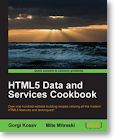
Book Review: HTML5 Data and Services Cookbook

Packt Publishing recently published HTML5 Data and Services Cookbook by Gorgi Kosev and Mite Mitreski. The subtitle of the book is: "Over one hundred website building recipes utilizing all the modern HTML5 features and techniques!" I accepted an invitation to review this book and was provided with an electronic copy of that book that I am reviewing in this post.

HTML5 Data and Services Cookbook is a collection of "recipes" organized in categories such as text, graphics, animation, input, data storage, validation, and server communication. The recipes cover not only HTML, but also JavaScript and CSS. This is not too surprising given that HTML5 is really much more than simply HTML.

Preface (Target Audience and Prerequisites)

The Preface provides a brief overview of each of the book's 12 chapters and 2 appendices. The Preface also describes what readers should have available when reading the book such as "a modern browser" such as "Firefox, Chrome, Safari, Opera, or Internet Explorer 9," a text editor, and an Internet connection. The authors also mention in the Preface that node.js is used for examples in later chapters of the book.

The "Who this book is for" section of the Preface describes the audience targeted by the authors:

This book is for programmers who already have used JavaScript in one way or the other. It's for people who work with a lot of backend code, and want to get up to speed with the world of HTML5 and JavaScript. It's for people who have used copy/paste to patch up a part of a page and want to know more about how things work in the background. It's for JavaScript developers who would like to update their knowledge with new techniques and capabilities made possible with HTML5. The book is for both beginners and seasoned developers, assuming that you will have some experience in HTML, JavaScript, and jQuery already, but not necessary [sic] an in-depth knowledge.
Chapter 1: Display of Textual Data

The first sentence of the initial chapter of HTML5 Data and Services Cookbook introduces the chapter with the statement, "The most common task related to web application development is the displaying of text." The authors use this chapter to describe how to work with text presentation (including presentation of numeric text and dates as well as alternate text formats). I like the fact that the authors include some iterative and functional examples and describe differences between them including disadvantages and advantages of each. The authors also demonstrate how to add a function to a standard JavaScript object but at the same time explain why this is not generally a good idea. These are examples of how the book does more than simply show how to accomplish a certain task.

Chapter 2: Display of Graphical Data

Chapter 2 of HTML5 Data and Services Cookbook looks at "displaying graphical data using various JavaScript libraries that are based on modern HTML5 standards." Presentation of several types of charts (line, bar, pie, area, and bubble) are demonstrated in the recipes of Chapter 2 and these make use of the Flot and D3 charting libraries. Scalable Vector Graphics (SVG) technology is also applied in this chapter.

The second chapter also includes detailed recipes on creating simple mapping applications, creating and using a gauge jQuery plugin, and creating an LED scoreboard. The last recipe goes into quite a bit of detail regarding font snf introduces terms such as Web Open Font Format (WOFF), TrueType Font (TTF), OpenType Font (OTF), and Flash of Unstyled Text (FOUT).

Chapter 3: Animated Data Display

The third chapter of HTML5 Data and Services Cookbook covers "some common ways of doing animated data visualizations with minor interactions." D3 and SVG figure prominently in this chapter and one of the recipes is devoted to Web Notifications.

Chapter 4: Using HTML5 Input Components

Chapter 4 provides recipes related to HTML form input fields. It includes standard input form material (placeholder text, HTML5 Date Pickers, Color Pickers, Range Pickers, etc.) as well as information on less commonly discussed input mechanisms such as HTML Speech/Web Speech API. This chapter also features recipes on the Geolocation API Specification, File API, and Drag and Drop.

Chapter 5: Custom Input Components

The fifth chapter of HTML5 Data and Services Cookbook builds on the fourth chapter with recipes that demonstrate how to extend the standard HTML input elements. Recipes in this chapter outline use of contentEditable (and browser support for it), Embedded JavaScript Templates (including John Resig's JavaScript Micro-Templating), and OpenStreetMap Nominator as they describe creation of rich content elements, drop-down menus, custom dialogs, input autocompletion (applying jQueryUI and Chosen), and map-related applications.

Chapter 6: Data Validation

Chapter 6 of HTML5 Data and Services Cookbook covers data validation and looks at "new mechanisms provided mostly for client-side checks by HTML5 as well as how to tackle some common problems." Recipes in this chapter cover validating form fields, length of text fields, spelling and grammar checks, numeric range checks, calculating password strength, and validating United States zip codes. The examples also include application of box shadows, the required attribute of input tags, and references to the client-side form validation and constraint validation API specifications. This chapter also contains the first recipe requiring use of node.js.

Chapter 7: Data Serialization

HTML5 Data and Services Cookbook's seventh chapter introduces its recipes with the statement, "One of the basic concepts of data storage and transmission is serialization" and then the chapter's recipes demonstrate approaches for saving data, reading data, and preparing data for transmission. Binary data (ArrayBuffer), XML data, and, of course, JSON data each get attention in one or more recipes of this chapter. Serialization inherently involves encoding and decoding, so it's not surprising that much attention is paid to encoding and decoding in JavaScript.

Chapter 7 reminds the reader that while "JSON is language independent format," it still "is JavaScript." I like that the authors point out that while one could use eval to evaluate JSON data as a subset of JavaScript, its use is "something we should avoid in most cases." The authors instead recommend using JavaScript 1.7's JSON.parse function and, for browsers too old to support that, recommend the fallbacks of either JSON2 or JSON3.

Chapter 7 includes a demonstration of CanvasRenderingContext2D in recipes in which binary data needs to be created. The chapter also mentions use of JavaScript typed arrays. One of the recipes in Chapter 7 introduces Keyhole Markup Language (KML). As would be expected from a chapter on serialization in HTML5, recipes in this seventh chapter use jQuery.serialize(), jQuery.serializeArray(), DOMParser, and XMLSerializer.

Before reading Chapter 7 of HTML5 Data and Services Cookbook, I was not aware of JXON (lossless JavaScript XML Object Notation). The authors introduce JXON and describe it as "the API related to creation and use of XML documents in JavaScript" that "defines a convention for a two-way conversion between JSON and XML." The recipe that introduces JXON also introduces something with which I'm much more familiar: XPath (XML Path Language).

Chapter 8: Communicating with Servers

Although Ajax is used throughout recipes of earlier chapters in HTML5 Data and Services Cookbook, it is Chapter 8 that more formally introduces the concept of Asynchronous JavaScript and XML and XMLHttpRequest. Just as I thought it helpful when JavaScript and JSON Essentials demonstrated applying Ajax implementation directly in JavaScript before using the easier JQuery-based approach, the authors of HTML5 Data and Services Cookbook intentionally show direct JavaScript implementation of asynchronous communication with the (node.js-based) server in early recipes of Chapter 8. The authors explicitly state their very good reasons for this decision: "We strongly believe that jQuery simplifies the DOM API, but it is not always available to us, and additionally, we need have to know the underlying code behind asynchronous data transfer in order to fully grasp how applications work."

I was pleased to see coverage of XMLHttpRequest Level 2 in Chapter 8. The authors succinctly describe the major differences and improvements of this version and discuss browser support for it. Other topics covered in this chapter include Cross-Origin Resource Sharing, Semantic Versioning, JSONP (JSON with Padding), building XML with xmlbuilder-js, and leveraging WebSockets with dnode.

Chapter 8 includes recipes addressing security issues. The concepts of Secure Sockets Layer (SSL) and Transport Layer Security (TLS) are discussed and the OpenSSL Project and Socket.io are used. There is mention of the Open Web Application Security Project (OWASP) and its HTML5 Security Cheat Sheet.

Chapter 9: Client-side Templates

Chapter 9 of HTML5 Data and Services Cookbook addresses "the shift in web apps from using server-side HTML rendering to client-side HTML rendering" that is attributed to many of today's target platforms not supporting HTML. The recipes in this chapter take turns using one of three "popular client-side template languages": EJS, Handlebars, and Jade.

Chapter 10: Data Binding Frameworks

When I was browsing the table of contents before reading HTML5 Data and Services Cookbook, one of the chapters I was looking most forward to reading was Chapter 10 because it covers two trendy JavaScript frameworks that I only had minimal knowledge (not much more than awareness) of: AngularJS and Meteor. The authors open the chapter contrasting these two frameworks and one of the most obvious differences that they highlight is that AngularJS "provides client-side bindings and can work with any server-side stack" while Meteor is "a complete framework and platform that covers both the client and the server side." The section on Meteor reproduces and references the "Seven Principles of Meteor" that is available on the main Meteor documentation page.

MongoDB is referenced and used in multiple recipes in Chapter 10. Other introduced concepts include EJSON, reactive programming, and Meteor's spiderable.

Chapter 11: Data Storage

Chapter 11 of HTML5 Data and Services Cookbook "covers some of the features that are related to HTML5 and are about data storage." The recipes in this chapter cover Data URI, Web Storage (Local Storage), IndexedDB, Web SQL Database, Quota Management API, and History API.

I was particularly intrigued by the number of fallback mechanisms for Web Storage listed in HTML5 Data and Services Cookbook. One of the referenced fallbacks is actually two choices of code implementations and are based on cookies for browsers not supporting Web Storage. Other referenced fallbacks for when Web Storage is not supported include implementations based on Google Gears and Flash.

The authors' recipes include a good explanation of why they cannot currently recommend use of IndexedDB and instead recommend a couple of alternatives.

Chapter 12: Multimedia

The final non-appendix chapter of HTML5 Data and Services Cookbook, Chapter 12, covers on the the areas that is most wanting in HTML5 browser compliance: multimedia support. One of the issues making this so difficult is the plethora of formats available. Indeed, in the first recipe of this chapter, the authors refer the reader to media.io to covert files into other formats for use in the recipe. Before displaying a handy table detailing the "rough state of the browser format support using Windows as operating system," the authors make this important observation about working with multimedia in HTML5: "With the current state some browsers support certain format but others do not. If we want to have support in all modern browsers then we supply the option to have multiple sources." After two decades of development for the Internet, browser incompatibilities remain an influential force.

Chapter 12 introduces The Internet Archive (home of the Wayback Machine) as a source of publicly available videos to use for a recipe on video handling. I liked the chapter's introduction of MediaElement.js as a simple fallback mechanism for browsers not supporting the media elements or not supporting certain media formats.

WebVTT (The Web Video Text Tracks Format) is also covered in Chapter 12 along with a reference to Live WebVTT Validator and the Timed Text Markup Language (TTML). The chapter briefly references the Web Audio API before moving to coverage of converting text to speech in HTML5 using emscripten, speakjs, and eSpeak.

The Appendices

HTML5 Data and Services Cookbook includes two appendices with Appendix A devoted to "Installing Node.js and Using npm" (node package manager) and Appendix B covering "Community and Resources." Appendix A is particularly useful to and important for readers who wish to run the many node.js-based recipes in HTML5 Data and Services Cookbook but who do not already have Node.js running.

Appendix B covers WHAT Working Group (WHATWG), Worldwide Web Consortium (W3C), Mozilla Developer Network (MDN) [source of many of the links I embedded in this post], HTML5 Rocks, Dive Into HTML5, HTML5 Test, and QuirksMode Compatibility Master Table.

General Observations
  • HTML5 Data and Services Cookbook references and demonstrates use of several tools and libraries related to HTML5 such as jQuery (1.8.2), jQuery plugins (timeago, DataTables, Validation), node.js (including modules node-restify and FileSystem), big.js, Moment.js, MathJax, ASCIIMathML.js, google-code-prettify, Markdown (markdown-js), Flot, D3.js, Leaflet, OpenStreetMap (including Nominatim), FontSquirrel, google.com/fonts, Rickshaw, GeoJSON, TopoJSON, html5-slider, TinyMCE, Embedded JavaScript Templates, John Resig's JavaScript Micro-Templating, Handlebars, jade, jQueryUI, Chosen, HTML5Pattern, Webshims lib, yepnope.js, Base64.js, hashify.me, form2js, xmlbuilder-js, Connect, OpenSSL, Socket.io, dnode, sessionstorage, Storage polyfill, Storage Compatibility, PouchDB, db.js, history.js, path.js, Abaroids, media.io, AreWePlayingYet?, MediaElement.js, Live WebVTT Validator, Captionator.js, emscripten, speakjs. Many of these referenced products are available via cdnjs.
  • HTML5 Data and Services Cookbook contains recipes using and covering several different approaches and tactics commonly used in JavaScript and HTML5 such as Ajax, JSON, Comet, and WebSockets.
  • HTML5 Data and Services Cookbook not only has recipes showing how to accomplish certain specific tasks with HTML5 technologies, but it also makes a lot of nice points along the way about things to do and not do with HTML5 technologies.
  • One of the most frustrating aspects of web development has always been differing support of alleged standards by different web browsers
    • HTML5 Data and Services Cookbook often calls out features not supported in certain browsers at the time of its writing.
    • Chapter 4 lists two tools that can be used to help determine updated browser support for a particular capability: http://caniuse.com/ and http://html5please.com/.
    • Compatibility Master Table is referenced in Chapter 6.
    • I have also used Modernizr for this.
    • The authors also provide appropriate fallbacks, shims, and polyfills to use in many of the recipes when the newer covered feature may not work in some browsers.
  • The code listings in the electronic version of HTML5 Data and Services Cookbook are differentiated from regular prose by a fixed-width font being used for code. Other than the different font, there are no differences between code listings and prose. It would be easier to read the large amount of code in this book if it had color coded syntax and was offset with a border or other visual separator. However, the code can be copied-and-pasted easily in this form.
  • Although there are many code listings in this book, not all code used in the recipes is directly available in the book. Some listings require code to be downloaded from the book's companion web site and many of the code listings depend upon availability of third-party libraries and frameworks.
  • An advantage of reviewing the electronic version of HTML5 Data and Services Cookbook is that many of the screen snapshots of HTML5 applications are reproduced in full color.
  • I really liked the wide breadth of realistic but small examples contained in the recipes of HTML5 Data and Services Cookbook. The "domain" modeled by these recipes introduced some things new to me and in some cases were as interesting as the code examples.
  • I expected to learn some new techniques related to HTML5 from reading this book and was not disappointed. However, I was pleasantly surprised to learn some interesting minor pieces of information with no specific relationship to HTML5 during my reading. These include things like the existence of the United States postal zip codes in CSV format and how/why the UTC acronym (formerly GMT) was selected. These are just a few examples of many incidental things I picked up from reading this book.
  • Most of HTML5 Data and Services Cookbook is highly readable and flows fairly well. However, there are a significant number of strange wording constructs and typos. One example comes from Chapter 7: "JSON is extremely simple to use than JavaScript; there are lot of REST services already out there that use XML." I have my suspicions of what this means (and wrote my interpretation when I filed this errata), but I cannot be sure what the intent was. Most of the cases of strange wording constructs are easier to figure out the intent for (many cases were strangely worded because adjectives were used where adverbs should have been used instead or vice versa), but the relatively large number of these strange wordings make me think HTML5 Data and Services Cookbook would have benefited from another and more thorough English grammar editing process. I'd describe the overall editing quality of HTML5 Data and Services Cookbook to be equivalent to a well-written blog post, but I typically expect even a well-written blog post to not be able to compare to a book in terms of editorial quality.
Conclusion

I really liked HTML5 Data and Services Cookbook. I learned several new things, reinforced some things I had previously learned, and had several ideas come to mind as I read the book. I particularly liked the book's approach of making liberal use of freely available open source frameworks and toolkits to do some of the recipes' heavy lifting. This approach made the recipes easier to implement and read and introduced me to some tools and frameworks I was not previously aware of. I also appreciated that most recipes covered fallback mechanisms that are available when the newer HTML5 feature is not supported in a particular browser. The many side notes and special emphases in HTML5 Data and Service Cookbook added tremendous value to me as I read the book.

The biggest downsides of HTML5 Data and Services Cookbook were related to presentation rather than to content. The code listings were not as easy-to-read as I would have liked and some of the grammar and sentence structure could have used more editing.

I strongly recommend HTML5 Data and Services Cookbook, especially for those who have similar HTML5 experience to mine. I've been away from it for a couple of years and this book helped me catch up on some of the latest happenings in the community, the specifications, the technologies, and the available libraries and toolkits. It reminded me of the excitement (new technologies and specifications that affect daily online and mobile experience) and the frustration (differing browser support for features, incompatibilities between browsers, and sometimes slowly evolving standards) of developing with HTML5.

Thứ Bảy, 1 tháng 1, 2011

Most Creative 404 HTTP Response Ever?

Happy New Year 2011!

The HTTP 404 Status Code is one of the HTTP status codes that all web developers and nearly all web users are all too familiar with. It is an HTTP response indicating that an HTTP request was received by the intended server, but that the exact resource specified in the request URI cannot be found on the server. In the early days of the World Wide Web, it seemed like many sites did not bother doing anything in particular about this page. This meant that a pretty useless and nearly blank page would show up in the user's browser. Some browsers, such as Internet Explorer, attempted to provide more general details in a "user friendly" format.

These browser attempts at providing more details about the cause of a 404 response status were still not very helpful because there is no good general way to handle a 404 error response. Instead, it is preferable for a site to provides its own custom 404 response page. The advantages of a custom 404 are discussed in more detail in Importance of Custom 404 Error Pages.

In recent years, there has been a dramatic increase in the percentage of sites providing a custom 404 error response. This is especially true for sites that want to do whatever that can to retain the user's business and/or traffic to their site. These sites attempt to do their best to provide a search or suggestions for what the user can do next. Some sites don't try to fix the situation, but instead automatically redirect to the site's main page. Other sites perform a combination, providing a search box and acknowledgement of an unfound page for a few seconds and then automatically redirecting to their main page.

After seeing the reference on reddit Programming to Github's Star Wars Themed 404 Page, I wondered if there are any 404 error responses more clever than this one. The Github 404 page may not be the best at helping the user find what he or she was looking for, but it is funny and does provide links to other actions that might be taken.

I tried some intentionally unavailable URIs on some of my most-accessed sites to see how their 404 responses are handled. In the rest of this post, I look briefly at some of them and analyze the value each provides. Mostly though, I was simply looking for the most interesting 404 page I could find and so far I haven't found any more funny than Github's.


GlassFish-Hosted Application without Custom 404 Response

I began by forcing my GlassFish-hosted web application to throw the default 404 response GlassFish provides when one does not provide a custom response. It's pretty basic and is nothing more or less than what a developer would likely expect to get without customization.


Brief 404 Response and Automatic Redirect: Yahoo.com and Wikipedia.org

Yahoo.com and Wikipedia currently provide temporary 404 responses that inform the user that the error occurred and provide alternatives. After a period of a few seconds, each site then redirects the browser to the respective main page or closest related page. The briefly appearing 404 responses for each are shown next.


In both of these examples of brief 404 reporting followed by automatic redirect, the 404 response pages are brief but informative and provide some opportunity for the user to try something else. If the user hesitates, there is automatic action to go to the site's main page (Yahoo's case) or to an attempted related article (Wikipedia's case).


Automatic Redirect: Target.com

Some sites redirect automatically without explicitly informing the user that the requested resource was not found. The presumption here is likely that it might be more confusing that it's worth and that most users would simply go to the main page anyway. Target.com is currently an example of this approach.


Customized 404 Responses without Redirect

The majority of the sites I frequently visit provide 404 responses without redirect. I include screen snapshots of some of them here because they provide insight into what the developers and others associated with these respective sites felt was most useful to provide to the user when the requested resource could not be found.

Google's 404 response bears the simplicity of appearance that its search engine is well-known for. I like the consistency between this simple report and the simplicity of the presentation of Google's search engine with the single field surrounded by vast empty space.


Amazon's 404 response indicates that there was an issue and provides the simple, single choice for the user to go to Amazon's main page. It's admittedly a matter of taste, but I prefer this approach over the automatic redirect. Yes, there's only one choice, but I know that I am explicitly going to the main page because the URL I provided (or the link I clicked on) was bad. Like Google's 404 response, this response is simple and concise and applies vast white space.


DZone's 404 response also makes it clear what happened ("The requested page could not be found"), but provides several links to other actions. There is a search field (and I personally think that searching is probably my first choice when I see this type of error) as well as links to other DZone resources.


Java.net's 404 response is similar to DZone's in terms of what it provides. It provides the simple error message "The page you were looking for doesn't exist." and states possible causes: "You may have mistyped the address or the page may have moved." It also provides a search box and several links to popular Java.net features.


Bing provides a nice 404 response page that maintains some semblance of simplicity with centered text and large amounts of white space, but also attempts to provide information on what may have happened and how to deal with it. Recommended courses of action include verifying URI typed in correctly, using search box to search for page rather than trying to get exact URI, and, of course, using the Bing search engine.


The Manning site appears to use Yahoo! services and provides a standard 404 response for Yahoo!-hosted services. This includes an obvious text field for searching for what was intended and other recommendations.


ESPN.com's 404 response features a large search field centered in the page. However, no space is wasted in providing other links likely to be of interest to anyone accessing an ESPN link. Also, there is a strategically placed advertisement banner above the search box and additional advertisements on the response page.


The Most Creative 404 Response?

After looking at several 404 responses from major online sites, it is clear that most have some sort of customized 404 response and that many provide a search engine to encourage the user to search for what they were looking for. Additional help was provided in some cases and other links of interest were often presented. The ESPN example demonstrated how even advertisement revenue/traffic might be generated from a 404 response.

All of the above could be argued as effective for what they are intended to do: attempt to keep the user at the site and do whatever reasonably possible to help the user out. However, in terms of sheer entertainment value, none of them match Github's. I feature that in the next screen snapshot.


The above image is a screen snapshot and is thus static. To see the the dynamic behavior (parallax) of this image, check out the Github 404 page directly.

As is the case with most of the other 404 responses, Github's response provides links to other areas of interest. However, the not-so-subtle tie-in to the hand-waving Jedi powers featured in Star Wars: The Phantom Menace is likely not lost on Github's primary audience. Even the 404 response for the official Star Wars site is not so funny:


Other Contenders for Most Creative 404 Response

There are other contenders for funniest or most entertaining or most clever 404 response online. In fact, if you are aware of any not listed here, please provide them via this post feedback. SmashingMagazine presented several useful and creative 404 responses in Wanted: Your 404 Error Pages. Not only are several interesting 404 responses listed, but the article does a nice job of explaining how the examples meet different principles for appealing to and helping the user. It's an informative read. A follow-on article, 404 Error Pages: Reloaded has some readers' suggestions/creations as well.

Huffington Post featured its 17 Best 404 Error Pages EVER. I especially like the use of Homer Simpson and D'oh! for one of them.

One creative 404 response cited online is blippy.com's (referenced by Brandon Davenport). This one is also interactive (click on the unicorn to see it change what it's saying and to see the rainbow change). Huy Hong also likes the blippy.com 404 response and asks if it is the best 404 ever?

In the TheFreeDictionary.com forum thread The Best 404 of All Times, the HackQuest 404/Access Denied response is nominated as the best ever. It is pretty creative.

There are numerous other collections of "best" or "most creative" 404 responses. These include 50 Most Creative 404 Error Pages for Inspiration, The 100 Most Funny and Unusual 404 Error Pages, 10 Most Creative 404 Pages, 404 Error Pages for Your Viewing Pleasure, and many, many more.

I didn't realize how many humorous and creative 404 responses are out there until I began looking at some of the collections referenced above. The explanation for this is simple: by design, most web sites go out of their way to reduce the opportunities for users to run into these "error pages." For many of the largest sites, all of the creative energy put into a 404 response is from a utilitarian perspective rather than an entertaining perspective.


Conclusion

The customized 404 responses featured in this post all provide understandable details and often provide courses of action for the user to take. For their respective organization's purposes, these 404 responses may truly be "best." However, I don't think of any of them are as clever as the Github example or as some of the examples in the collections that I referenced. "Clever" or "creative" do not necessarily imply or mean "best," but the Github 404 response is definitely my favorite. It is difficult to attribute any additional revenue or value gained by a site with an entertaining 404 response, but I still appreciate the humor in Github's 404 response.

Note that Github has a similarly more interesting 500 (Server Error) response as well.


Feedback Requested

Please reply in the comments/feedback with any 404 responses you know of that are clever or would be interesting to other readers of this post.